
Guardian AI Workspace
Give your team one approved place to use AI at work, with guardrails designed to help protect sensitive data before it leaves your business.
See the platform, talk through your environment, or book a technical demo.
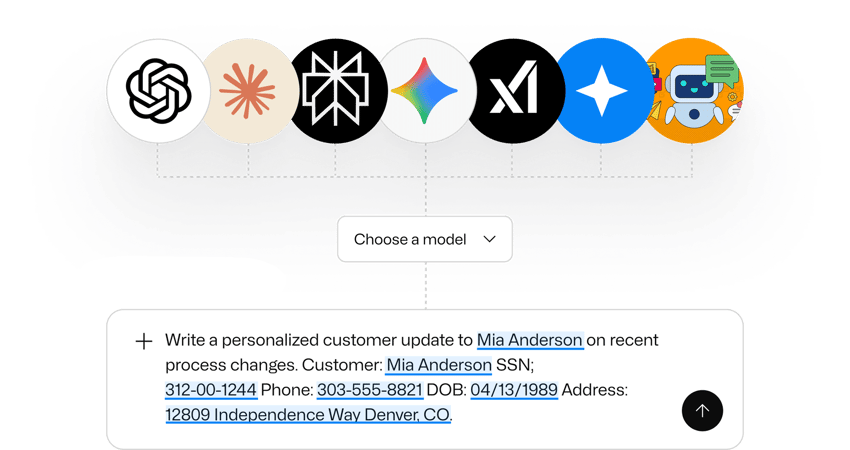
Most businesses end up with three weak ways to handle AI
Where the risk usually starts
Client and Financial Data
Account details, payroll data, pricing, forecasts, and deal terms often end up in prompts when someone is trying to save time.
Healthcare and PHI
Patient messages, authorization requests, discharge instructions, treatment context, and care coordination content can create serious exposure if they’re shared the wrong way.
Legal and HR Content
Contracts, employee issues, internal investigations, and confidential business information often get pulled into drafting and summarization work.
Security and Internal Operations
Logs, screenshots, procedures, credentials, and internal technical details can end up in prompts during troubleshooting, analysis, or documentation work.
What Guardian AI Workspace is
One Place for AI at Work
Guardrails Before Data Leaves
Centralized Visibility
Future-Ready Flexibility
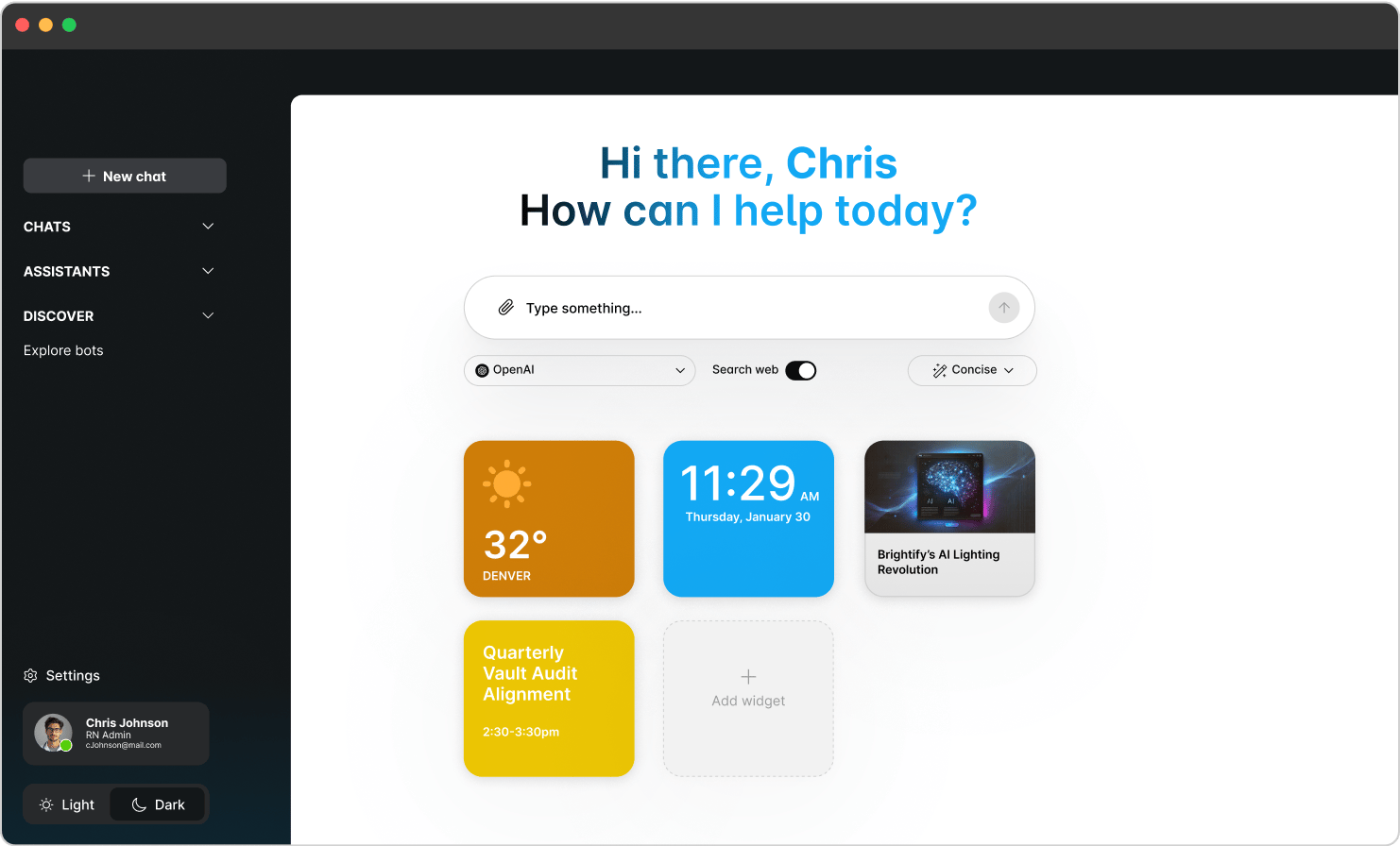
Your team gets the models they already want to use
Guardian AI Workspace is built to be useful enough that people will choose it.
Your users can work from one approved workspace with unlimited usage across the leading models included in the platform, including ChatGPT, Claude, Gemini, Grok, and Perplexity.
That gives your business a strong economic advantage on its own. It also gives you a model-agnostic approach that can hold up as the AI market keeps changing.
Instead of managing multiple disconnected AI tools across the business, you can give people one place to work.
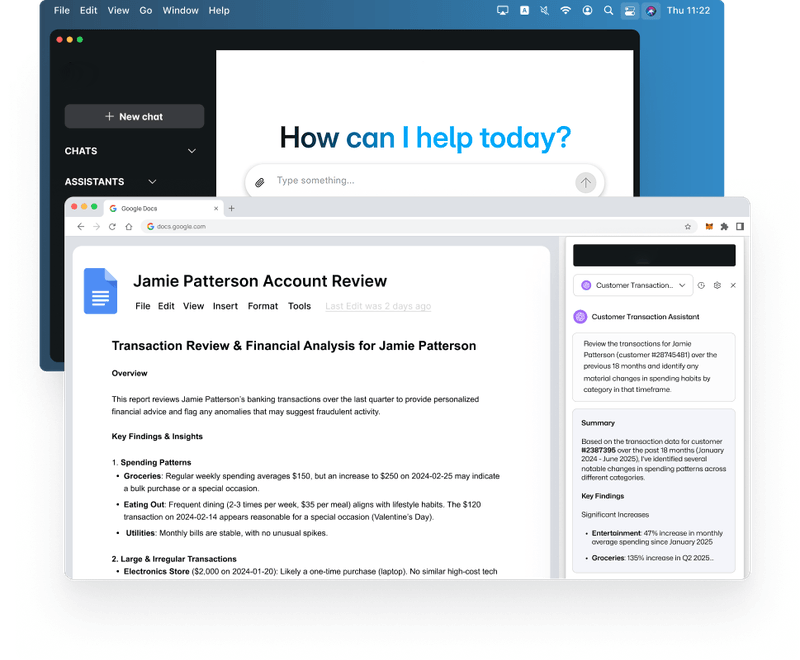
What leadership gets
A Clearer Governance Story
Better Control Over Sensitive Data
More Consistent Adoption
A More Durable Approach
What internal IT and security teams get
This starts as a business decision, but it still needs to work for the people who have to administer it, govern it, and defend it.
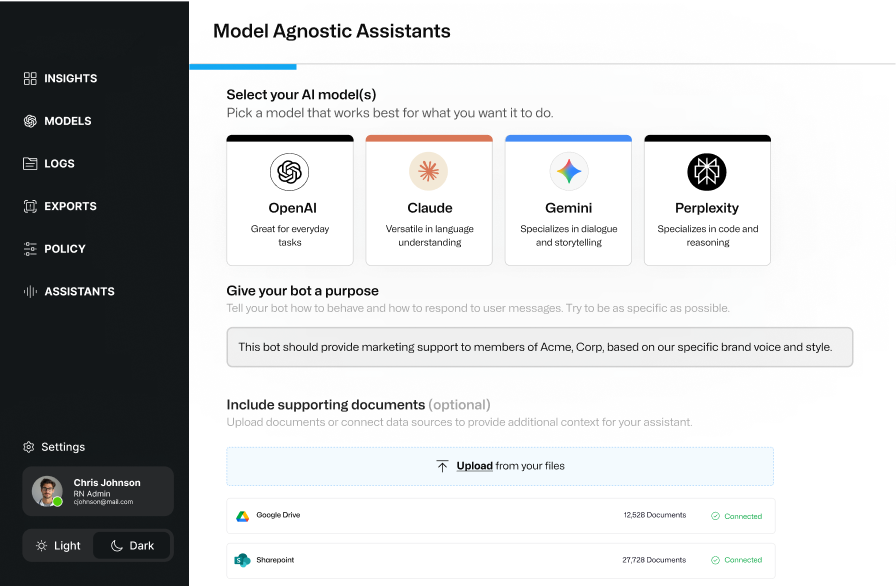
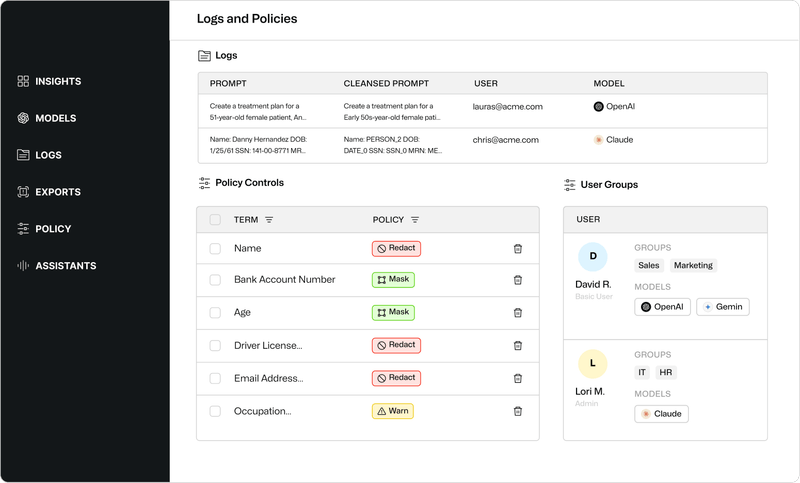
Model Access Control
Policy-Driven Protection
Audit-Ready Logging
Usage Visibility
Shared Assistants
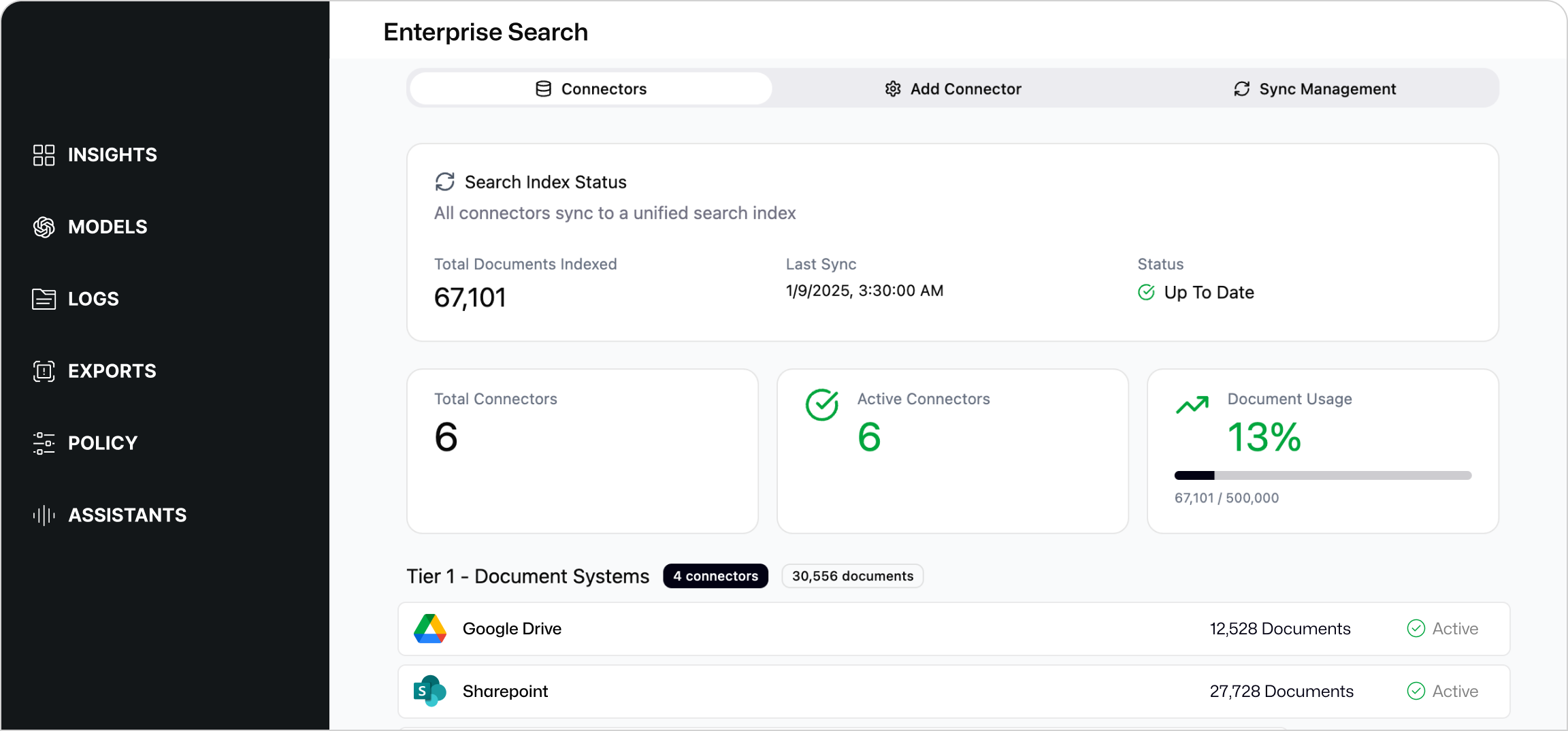
Internal Knowledge Expansion
.webp?hsLang=en)
Especially relevant for healthcare and other regulated industries
Healthcare organizations are under pressure to use AI in ways that help staff, support patient-related workflows, and protect PHI at the same time.
That can include discharge instructions, authorization support, appeals, patient communication, operational coordination, and other work where sensitive context is part of the job.
The same need exists across financial services, insurance, education, legal, biotech, and other organizations handling regulated or confidential data. Teams want the benefit of AI without losing control of what gets entered, what gets protected, and what evidence exists afterward.
Healthcare
Financial Services
Insurance
Education and Research
Where teams often get value first
Drafting and Rewriting
Turn rough notes into clearer emails, summaries, updates, proposals, and internal communications.
Research and Analysis
Use the best-fit model for summarization, reasoning, exploration, and information gathering in one workspace.
Repeatable Assistants
Create approved assistants for onboarding, documentation, proposal support, client updates, and department-specific work.
Cross-Team Consistency
Reduce the confusion that comes from scattered tools, personal accounts, and inconsistent AI workflows.
Delivery options
Guardian AI Workspace is available in the operating model that best fits your team and internal capacity.
Fully Managed
Co-Managed
Self-Managed
Why Every Business Needs a Secure AI Workspace
This white paper is a practical guide for leaders who want the upside of generative AI without losing control of sensitive data.
It explains why policy alone, blocking alone, and enterprise licenses alone don’t fully solve the governance problem. It also lays out the core risk in plain English. Once sensitive information is pasted, uploaded, or typed into a public AI model, that data has left your controlled environment.
It also walks through a practical Secure AI Workspace approach, including one governed place for AI at work, guardrails before data reaches model providers, multi-model access, audit-ready evidence, and a rollout path that can work in a real business.
Want to learn more?
FAQs
Guardian AI Workspace is meant to give people a useful approved path for AI use while reducing unmanaged behavior and scattered tool usage.
Policies help, but they don’t create real-time guardrails or visibility on their own. Most organizations still need a better way to govern how AI is actually being used.
Enterprise licenses can help, but governance still needs to happen across the business. Many organizations still need a way to centralize usage, apply guardrails, support multiple models, and maintain a stronger control story.
Yes. Guardian AI Workspace supports a governed multi-model approach so organizations can decide which tools are available and how they’re used.
Blocking often pushes usage into personal accounts, unmanaged devices, and workarounds that are harder to govern. Giving people a useful approved path usually gives the business more control.
No. The right fit depends on your internal capacity and preferences. Some organizations want Greenlight to manage it, some want a shared model, and some want the platform with internal ownership.